Blog / Handwriting practice
Free Handwriting Repeater: Turn Typed Text into Practice Pages
8 min read · Updated August 7, 2026
A handwriting repeater is a simple idea with a clear job: type a word or sentence once, then get many handwritten-looking lines so you can practice, print worksheets, or fill a notebook page without rewriting the same text by hand every time.
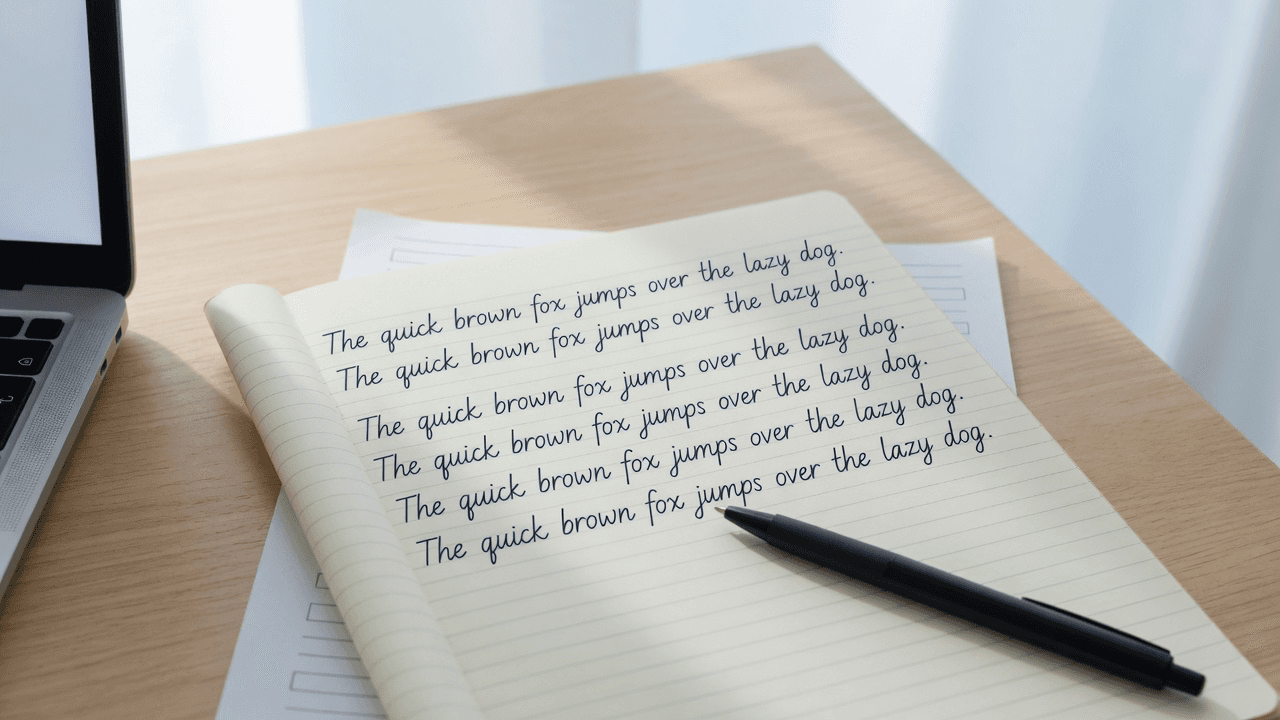
This guide covers what a handwriting repeater actually does, how it differs from a writing to text converter (OCR), and how to build print-ready practice pages with a free text to handwriting converter such as Text2Handwriting.
Writing to text converter vs text to handwriting (quick clarity)
Search results mix two opposite tools under similar wording. Sorting them early saves time.
| What people type | What they usually want | Direction |
|---|---|---|
| Writing to text converter | Digitize a photo or scan of handwriting | Handwriting → editable text (OCR) |
| Text to handwriting converter | Make typed text look handwritten on paper | Text → handwritten page |
| Handwriting repeater | Repeat letters, words, or sentences for practice | Text → repeated handwriting lines |
A writing to text converter is useful when you already have notes on paper and need searchable text. Tools in that category rely on OCR and often struggle with messy or connected scripts.
A handwriting repeater and a text to handwriting converter work the other way. You start with typed English, choose a handwriting style, and export pages you can print or save as PNG/PDF. Text2Handwriting belongs in this second group: Live fonts for instant typing on the page, optional AI stroke synthesis for more natural variation, paper layouts, and browser-based export without an account.
If your goal is practice sheets, study-note pages, or printable cursive-style lines, stay on the text → handwriting path. If you need to extract words from a photo of notes, use a dedicated OCR product instead.
What a free handwriting repeater is good for
Teachers and parents often look for a free handwriting repeater to generate tracing-friendly lines without desktop software. Students use the same pattern for spelling lists, sentence drills, and “write it five times” homework. Adults use it for signature practice, note polish, or simply filling a lined page that looks handwritten rather than typed.
Common jobs:
- Repeat the alphabet, numbers, or a short phrase across many lines
- Build custom worksheets for one learner instead of generic printables
- Preview how a sentence looks in different handwriting styles before printing
- Export PDF for classroom packs or PNG for a single page
A good repeater does not need to animate every stroke to be useful. What matters is clear layout control (line spacing, margins, paper style), readable script choices, and a download path that works on a phone or laptop.
How to use a text to handwriting converter as a handwriting repeater
You can use Text2Handwriting as a free handwriting repeater workflow without installing an app.
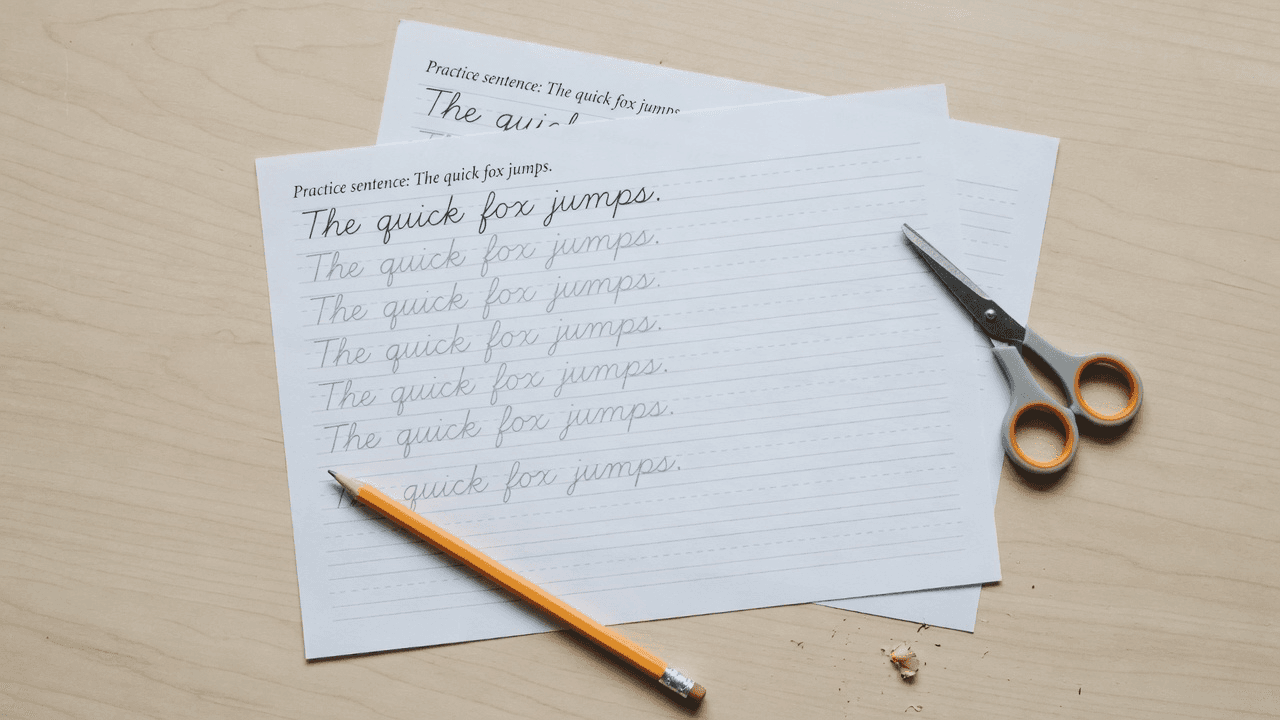
1. Decide the unit you will repeat
Pick one clear unit before you type:
- Single letters for younger learners
- High-frequency words for spelling
- Full sentences for fluency and spacing practice
Keep each page focused. One target phrase repeated well is easier to use than a wall of mixed content.
2. Type the phrase, then duplicate the lines
Open the tool, click the paper, and type your English text. To create a repeater page, paste or retype the same line enough times to fill the paper—or break a longer drill into multiple short pages so spacing stays readable.
Live fonts update as you type, which is useful when you are checking letter size and line fit. If you want more natural variation between identical letters, generate with AI stroke mode after the text is ready.
3. Choose a script that matches the practice goal
For early writing practice, prefer clearer, print-like scripts so learners can see letter shapes. For older students or note-style pages, a looser or cursive-leaning script can feel more natural on lined paper.
Text2Handwriting labels styles as Script N in the product UI. Treat the names as pickers, not calligraphy brands: open a few options, type the same sample word, and choose the one that stays legible at your preferred size.
4. Tune paper, spacing, and margins before you export
Lined paper is the default mental model for a handwriting repeater. Grid paper helps with letter height. Legal-pad styles work for longer practice lists.
Adjust:
- Font or stroke size so letters sit comfortably on the line
- Line height so repeated lines do not collide
- Margins in millimeters so printers do not clip the edge
If the page will be graded or shared, raise legibility in AI mode rather than chasing maximum “messy realism.”
5. Export PDF for packs, PNG for a single page
Download PDF when you need multi-page drills or classroom printing. Use PNG when you only need one image for a chat, slide, or tablet.
Generation is designed to run in the browser. You do not need an account for core generation and export. English (Latin letters, numbers, and common punctuation) is the practical focus for v1.
Handwriting repeater tools compared by use case
Not every “handwriting practice” site solves the same problem.
Dedicated handwriting repeater apps (for example products marketed as UK handwriting practice tools) often emphasize stroke replay, loop or trace modes, and pen simulation on a canvas. They fit people who want to watch writing motion or practice on-screen with a stylus.
Text to handwriting converters focus on typed input → printable pages. They fit worksheets, homework formatting, and study notes where the output must look like paper, not an animation.
Unicode cursive generators convert plain text into fancy Unicode characters for social bios. They are not print worksheets and rarely look like real notebook writing.
OCR writing to text converters go the opposite direction and do not produce practice lines.
Choose based on the deliverable:
- On-screen stroke practice → dedicated repeater with replay
- Printable repeated lines and study pages → text to handwriting converter
- Fancy text for Instagram or Discord → Unicode cursive tool
- Digitize existing notes → OCR
Text2Handwriting is strongest when you already know the words and need a clean, printable handwritten page quickly.
Practical tips that improve practice pages
Prefer short lines over tiny fonts. Cramped text teaches poor spacing. Increase size and accept more pages.
Match paper to the real notebook. If school uses standard lined paper, export on lined pages so transfer feels familiar.
Separate model lines from blank lines. Some teachers print one handwritten model line, then leave empty lines underneath for students to copy by hand. You can create the model page in the converter and leave the rest blank on a second sheet, or print the model and have students write on physical paper.
Do not treat synthetic handwriting as a scanned human page. Live fonts use handwriting typefaces; AI stroke mode draws pen paths with variation. Both are generated looks. They are useful for practice and notes; they are not a substitute for academic honesty policies. Follow school rules for anything you submit.
Stay within comfortable length. For smooth laptop use, plan around roughly two pages of content at default lined settings rather than dumping an entire essay into one generation.
FAQ
Is a handwriting repeater the same as a writing to text converter?
No. A handwriting repeater generates handwritten-looking lines from typed text for practice or printing. A writing to text converter usually means OCR: photo or scan of handwriting → editable text.
Can I use a free text to handwriting converter as a handwriting practice tool?
Yes. Type a word or sentence, repeat it across the page, pick a readable script and lined paper, then export PDF or PNG. That workflow covers most classroom and home practice needs without a separate app.
Does Text2Handwriting require sign-up?
No. Core generation and PNG or PDF export are free and do not require an account. The product may show ads later to keep the tool free.
Will repeated lines look identical?
With a pure handwriting font, identical letters can look very similar. AI stroke synthesis adds path variation so repeated forms feel less uniform. For strict letter models (early grades), a clearer Live font can still be the better choice.
What languages work?
Text2Handwriting v1 focuses on English. Other scripts are not a first-class goal yet.
Conclusion
A free handwriting repeater is easiest to understand as a practice-page factory: type once, fill the page with handwritten-looking lines, print, and practice. Do not confuse that job with a writing to text converter, which digests photos of handwriting into digital text.
If you need printable English practice sheets or study-note pages, use a text to handwriting converter with paper controls and export. Text2Handwriting gives you Live fonts, optional AI stroke styles, lined and other paper layouts, and browser-based PNG/PDF download—enough to run a solid handwriting repeater workflow without installing software.
Try the free converter
Paste English text, pick a script, export PDF or PNG in your browser—no account required.
Open tool